Gathers context
Email, calendars, meeting transcripts, and attachments in one personal archive.
 AI SecretaryBETAOpen demo ↗
Emails, meetings, and agreements become a clear action plan. Your AI remembers the context. You decide what comes next.
Priority From Anna's email
Decisions and materials are at hand
Done. Take a breath.
What matters is together. The decision is yours.✧Every task links to its source
“Send it by Friday.” “Let's get back to this.”
AI Secretary helps turn those words into action.
Email, calendars, meeting transcripts, and attachments in one personal archive.
Identifies your tasks, deadlines, and assignments. When wording is unclear, it asks you to confirm.
Prioritizes your daily plan, reminds you of deadlines, and links each task to its source message.
Priorities, deadlines, and overdue tasks are already taken into account. Your plan changes as your day unfolds.
Assignments to colleagues, owners, expected results, and status history sit alongside your own tasks.
Decisions, open questions, and preparation materials. Afterward, get a summary, agreements, and next steps.
Find answers in emails and meetings without rereading the entire history. Chat with Qwen to recall what matters and return to the source.
Start with a pilot. Anna prepares the presentation, and Dmitry reviews the budget.Example answer from the archive ↗
Your daily plan, meetings, and AI answers in one place.
On your computer and your phone.

Full-featured mobile apps for everyday work.
Tasks, meetings, assignments, and archive chat go with you wherever you are.
Important tasks and deadlines on one screen.
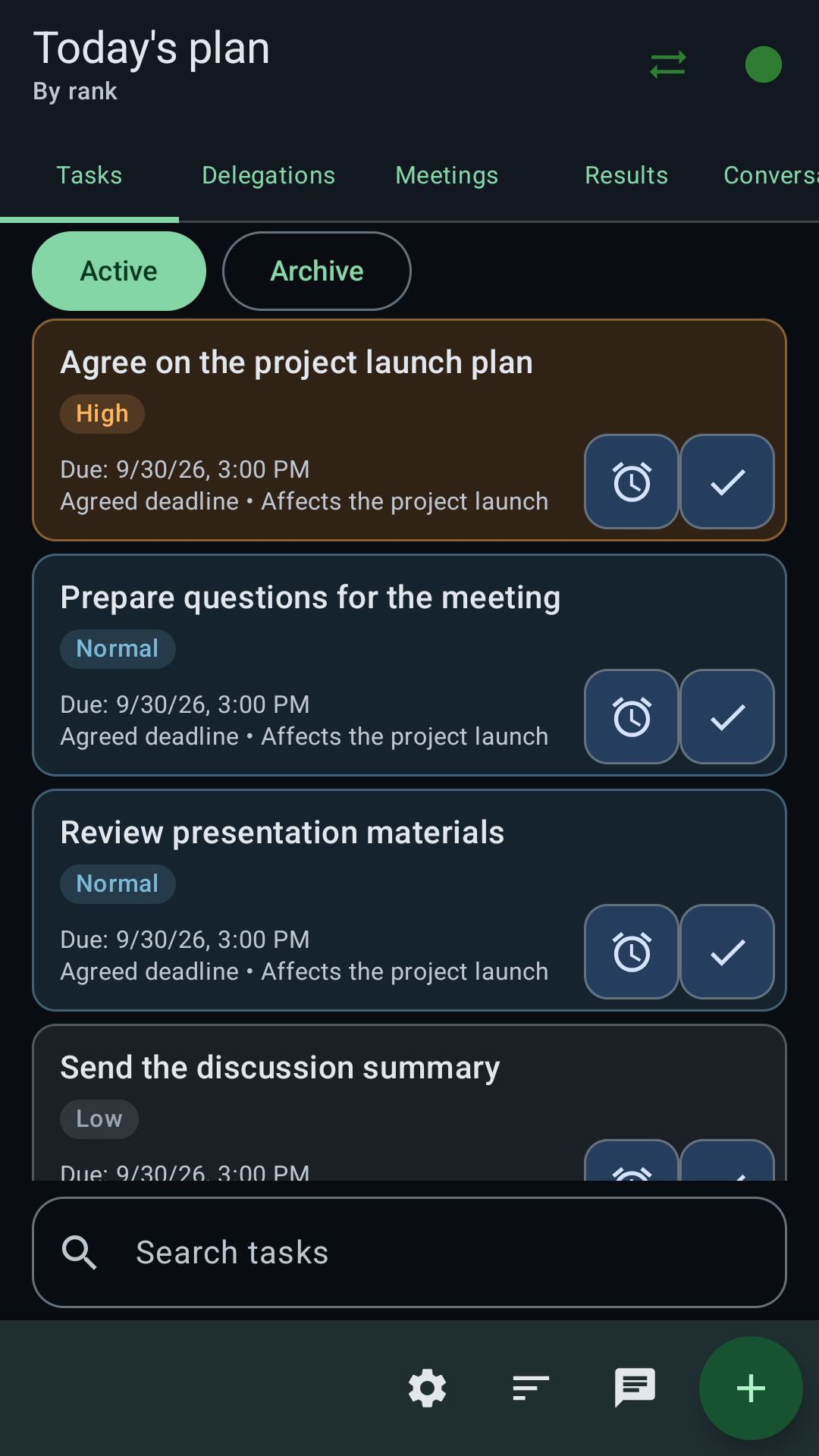
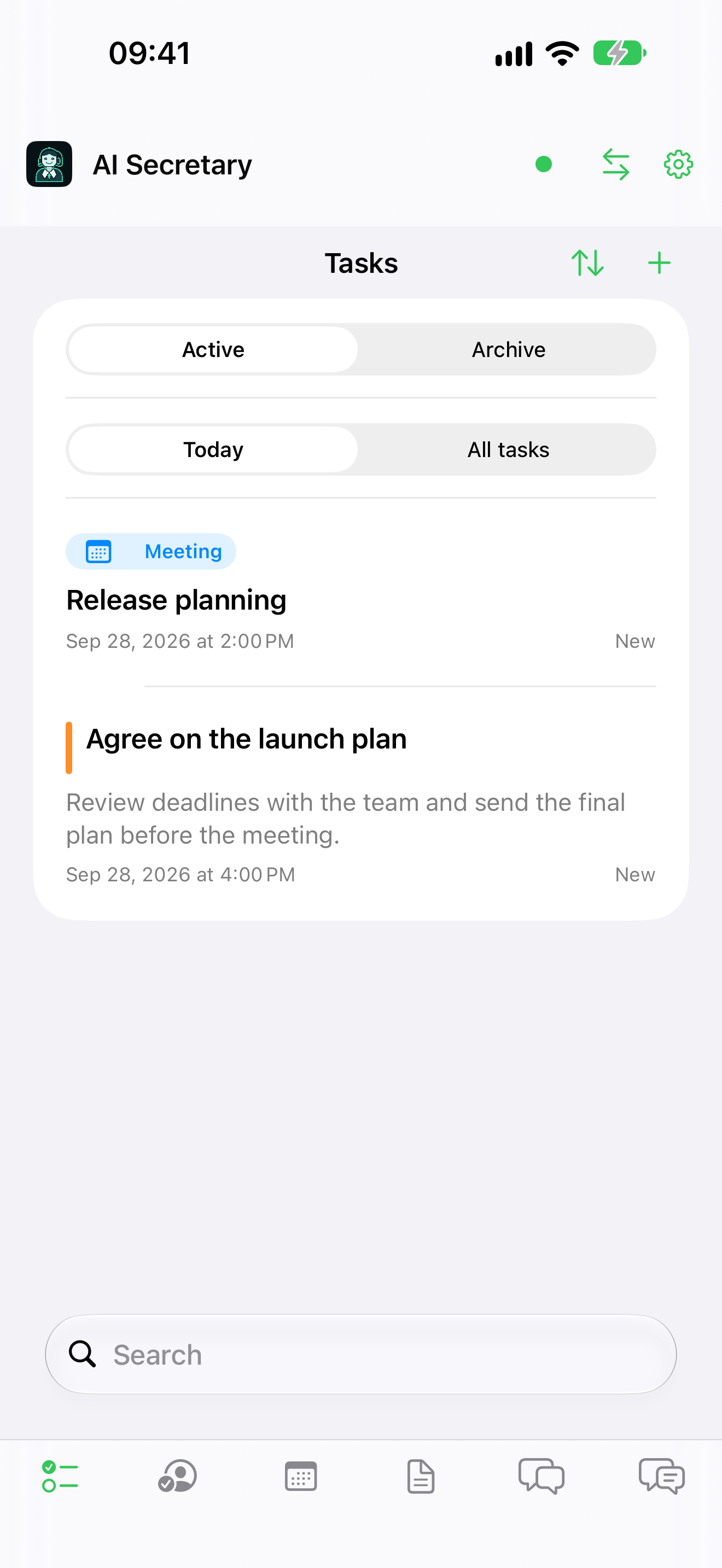
A native interface for iPhone and iPad.
Access your context on the go.
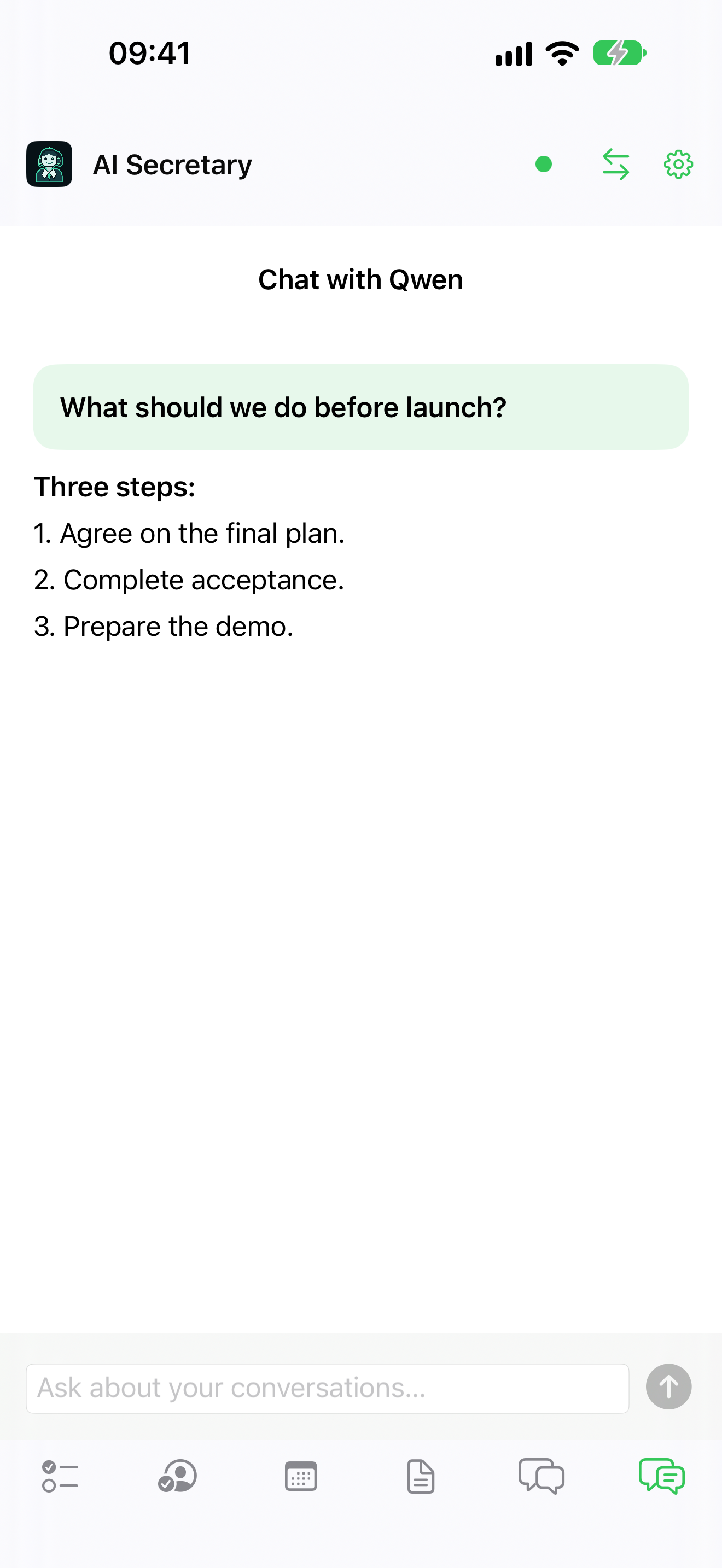
Real app screens with English demo data. Tap a screenshot to inspect the details. Status indicators in the images come from a test environment.
On a foldable Android phone, the list and details appear side by side. Choose a task, meeting, or conversation and read the details without losing the big picture.
On iPhone and iPad, the interface adapts to orientation and window width. On a wide iPad, the list and details appear in two panes.
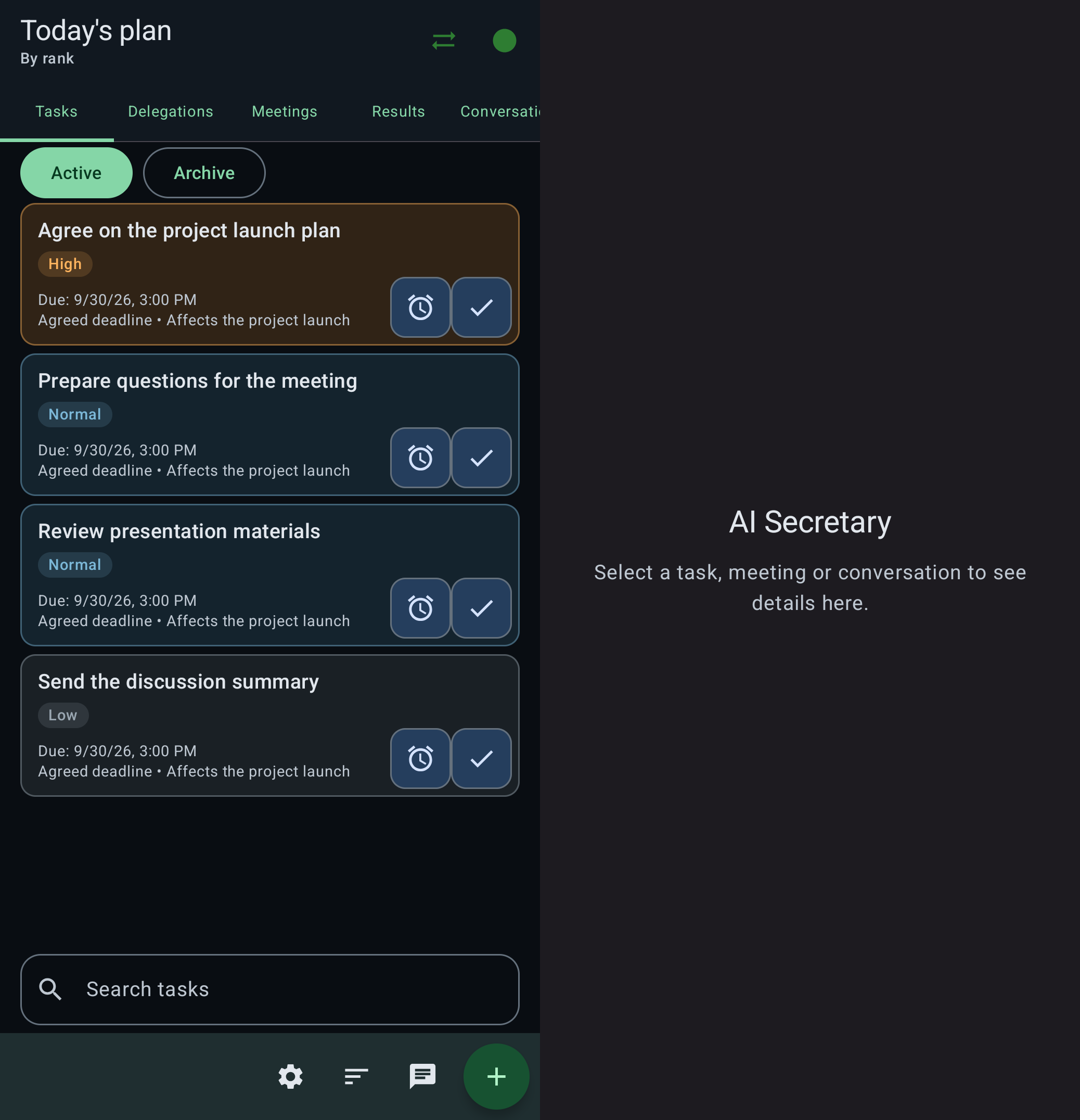
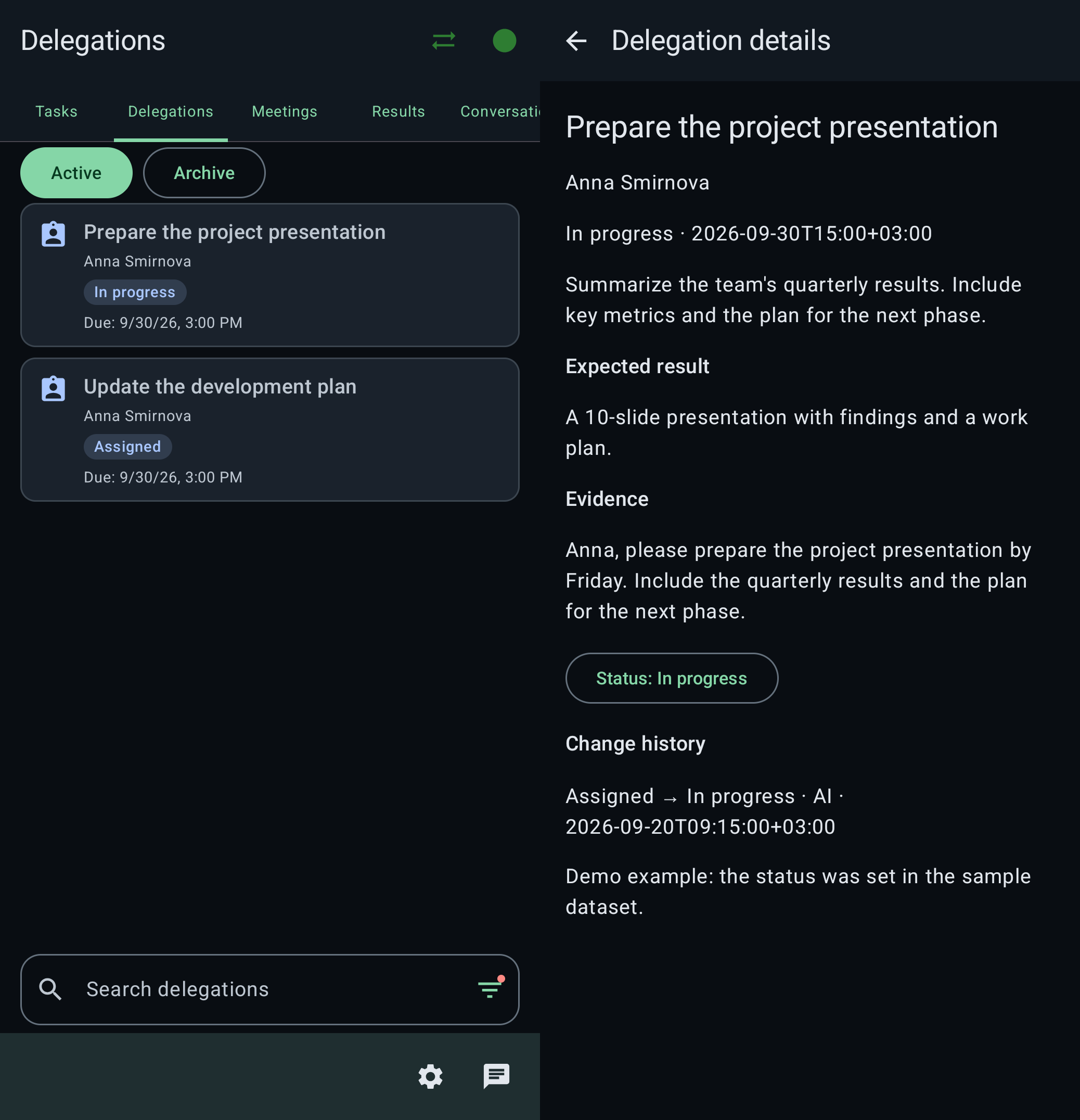
Real Android Fold screenshots with English demo data. Tap to view them full size.
Emails, attachments, and analysis results stay on your personal server. By default, Qwen runs locally through Ollama, so you do not need to send your archive to a cloud AI service for analysis.
Privacy policy ↗YOUR SERVERContext under your controlIf you connect an external model API, the context needed for analysis will be sent to your chosen server.
Connect to your AI Secretary away from home or the office.
A dedicated gateway relays encrypted traffic between the app and your personal server.
On your device
Relays ciphertext
Stores and analyzes the archive
It passes through the gateway. The gateway never receives the keys to decrypt it.
Outer mTLS authenticates both ends of the connection. The app and personal server present client certificates; the gateway verifies their installation and access rights.
Inside the gateway connection, the app and your server connector establish an independent, mutually authenticated TLS channel. The gateway does not terminate this inner channel and cannot read its contents.
Your personal server opens an outbound secure connection to the gateway. This lets you connect over a mobile network without a public IP address or inbound port forwarding on your home router.
Email text, messages, attachments, tasks, and AI answers travel inside the encrypted channel. The gateway only relays this stream between the app and your server; it cannot access your conversations.
Storage and analysis happen on your personal server. With a local model, your conversations are not sent to a cloud AI service.
Firebase receives a technical signal with the event type and an opaque identifier. The app fetches the content from your server over the secure channel.
The gateway processes certificates, installation IDs, and connection metadata for routing and access control. Security also depends on protecting your device, server, and connection keys.
See how tasks, meetings, and assignments come together
in one clear picture of your workday.
No. Content travels inside an independent TLS channel between the app and the connector on your personal server. The gateway does not receive its keys. It checks outer mTLS and routes encrypted traffic but cannot read emails, tasks, or AI answers.
Yes. Your personal server opens an outbound mTLS connection to the gateway. The app connects with its client certificate and establishes an additional secure channel to your server inside it. No public IP address or inbound port forwarding is needed.
A personal server with AI Secretary installed, connected data sources, and a model: local Qwen through Ollama or a chosen OpenAI-compatible API. Configure sources in the web panel.
Android and iOS apps (iPhone and iPad) and a web interface share the archive on your personal server. Foldable Android devices support a two-pane layout when open and preserve context when folded. On iPad, the layout adapts to the window width.
AI identifies tasks, suggests priorities, and helps restore context. Ambiguous assignments require confirmation. You can inspect the source, edit a task, and confirm completion yourself.
AI Secretary is a working personal MVP. Its core scenarios form an end-to-end workflow, and development continues. The demo lets you explore the interface before setting up your own server.